Interface
A modern layout built for people who work with Open Tibia servers every day.
Menu navigation
File
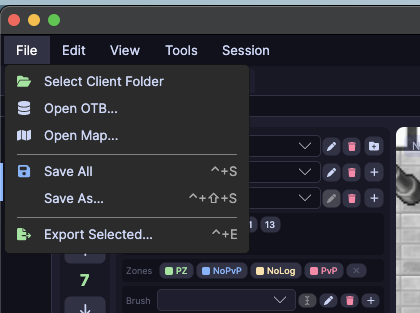
| Option | Shortcut | Description |
|---|---|---|
| Select Client Folder | — | Points to the folder with .dat and .spr client files |
| Open OTB... | — | Opens a server item file |
| Open Map... | — | Opens an .otbm map file |
| Save All | ⌘S |
Saves the open OTB and map |
| Export Selected... | ⌘E |
Exports the selected items |
Session
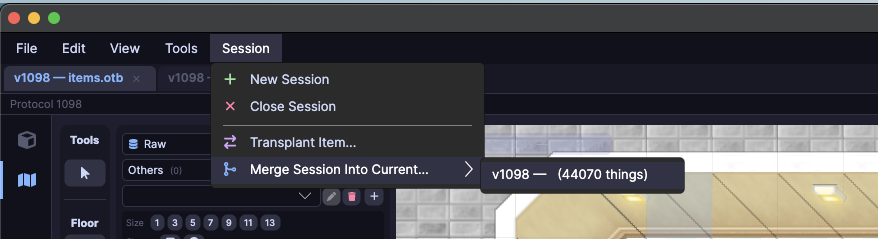
| Option | Description |
|---|---|
| New Session | Creates a new editing session |
| Transplant Item... | Moves an item from another OTB into the current session |
| Merge Session Into Current... | Merges another session into the current one, preserving IDs |
View
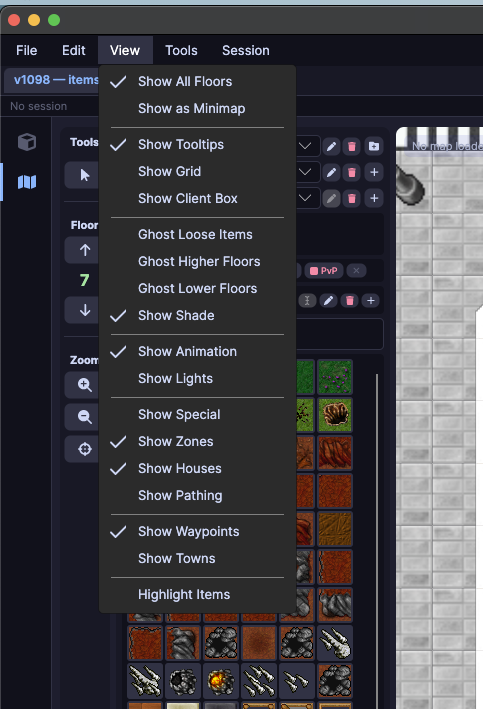
Controls what is shown in the map viewer: floors, grid, zones (PZ, PvP, NoLog), animations, waypoints, and lighting.
Tools
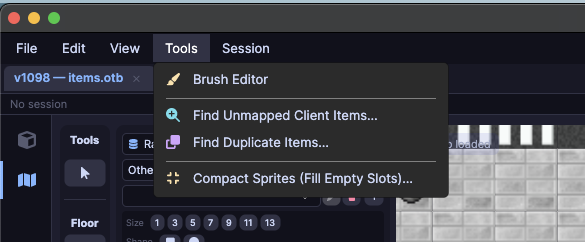
| Option | Description |
|---|---|
| Brush Editor | Create and edit brushes for map painting |
| Find Unmapped Client Items... | Lists client items with no matching server entry |
| Find Duplicate Items... | Detects items sharing the same Client ID |
| Compact Sprites (Fill Empty Slots)... | Removes empty gaps in the sprite table |
Edit — Border Automagic
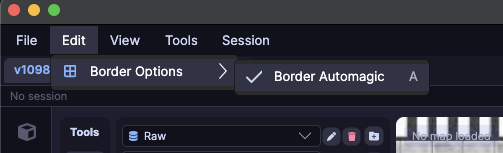
When enabled, the editor automatically generates transition borders when painting adjacent tiles of different types.
Map context menu
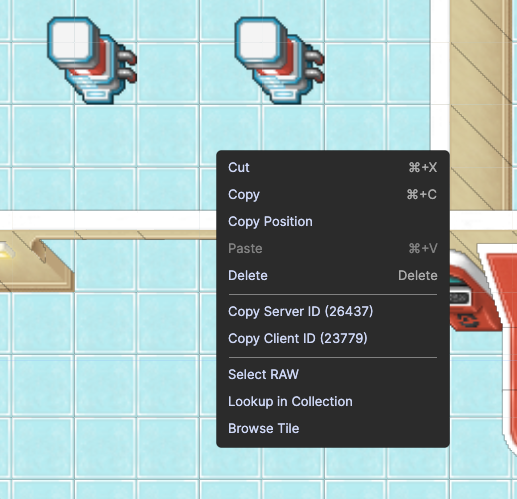
Right-click any tile to access:
| Option | Description |
|---|---|
| Copy Server ID | Copies the item's server ID |
| Copy Client ID | Copies the item's client ID |
| Copy Position | Copies the X, Y, Z coordinates of the tile |
| Select RAW | Selects the tile in raw mode |
| Lookup in Collection | Finds the item in the brush collection |
| Browse Tile | Opens the tile inspection panel |
What you'll find
- Native dark theme — easy on the eyes during long sprite analysis sessions
- Three-panel layout — side navigation, center view, and properties panel always visible
- Keyboard shortcuts — access core functions without interrupting your workflow
- Status bar — selected item ID, name, and type always visible at the bottom
- Fully portable — unzip and open, no installation, no extra dependencies
Available platforms
| System | Status |
|---|---|
| Windows (x64 and ARM64) | ✅ Available |
| macOS (Intel and Apple Silicon) | ✅ Available |
| Linux (x64 and ARM64) | ✅ Available |